
Dine-in, takeaway and delivery
One POS for all three order types, with table selection and waiter assignment for the dining hall.
A restaurant needs speed at the counter, the right order in the kitchen and control over stock and cash at closing. Pakrox Resto does all three, and it keeps billing when the internet is down.
Made for
In short
Restaurant POS software takes orders, sends them to the kitchen, prints bills and tracks stock and cash for dine-in restaurants, BBQ and sajji points, desi and karahi restaurants. Pakrox Resto is restaurant POS software that keeps billing when the internet is down. It has a free plan with every feature for up to 20 orders a day, and paid plans start at Rs 2,500 a month.
The problem
These are the things owners tell us about before they change their software. If two of them sound familiar, the rest of this page is for you.
Friday night is when the system has to be fastest, and when paper tickets fail.
A shouted order is a forgotten order, and the table waits.
Meat and oil are bought daily, but what each dish actually uses is not measured.
Without a shift report, a short till has no explanation.
Restaurant POS software features
Every feature below is in Pakrox Resto today. Some are switched on in settings, and a few are add-ons on the monthly plan (all of them are included in the lifetime licence).
One POS for all three order types, with table selection and waiter assignment for the dining hall.
Orders print as KOTs at the right station the moment they are placed, with item notes.
Each dish deducts its ingredients from stock. Purchases, wastage and low-stock alerts are built in.
Open and close shifts with cash handling, and give each role only the screens it needs.
Billing continues without internet and catches up when the connection returns.
Daily sales by item, category and payment method, with branch-wise comparison for chains.
See it
Pakrox Resto running on a counter terminal: large touch-friendly items, quick search and the running bill on one screen.
More about Pakrox Resto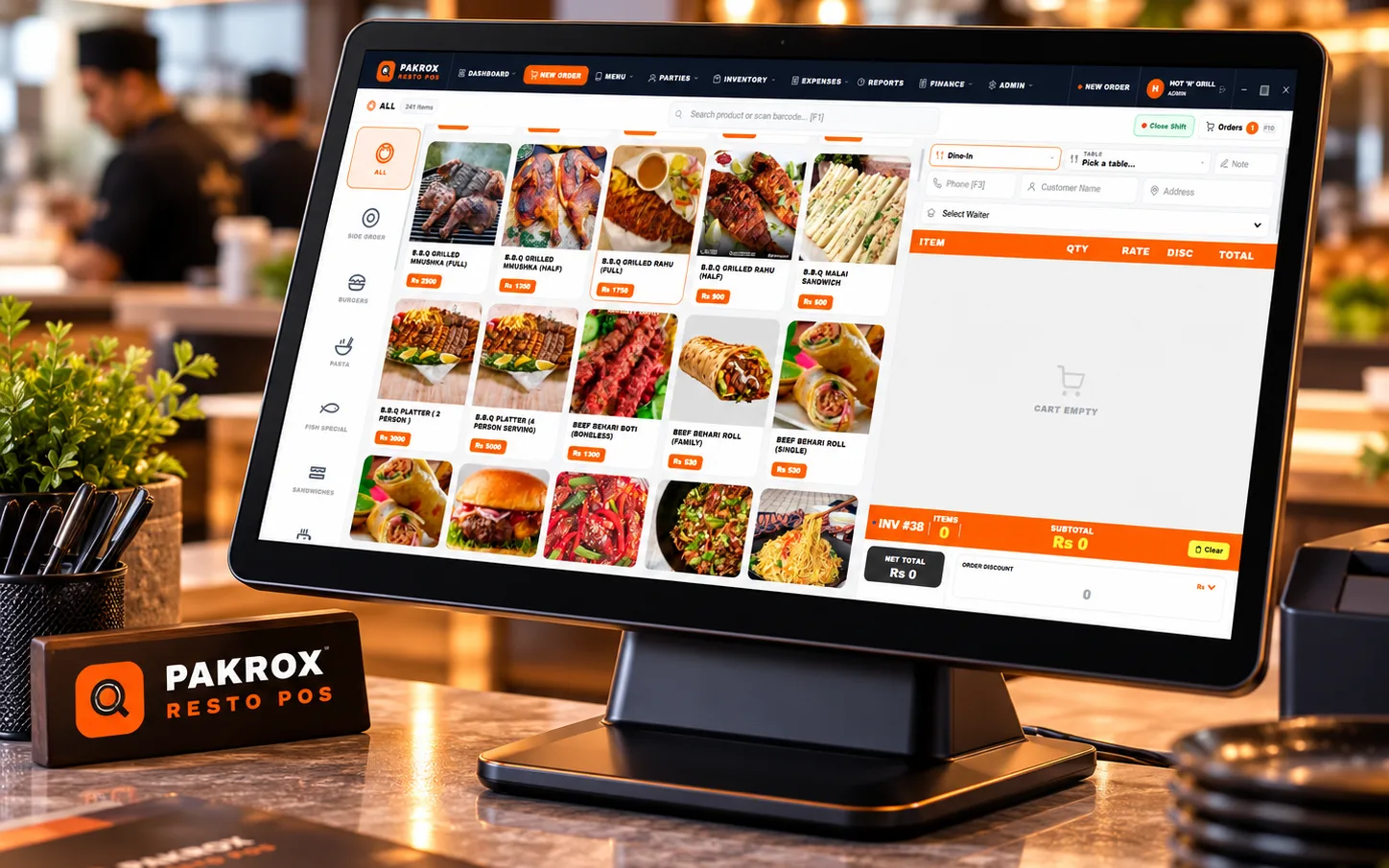
How it works
One flow from the first order to the final report.
Step 1
Dine-in, takeaway or delivery, at the counter or by the waiter.
Step 2
A kitchen ticket goes to the right station straight away.
Step 3
Discounts, service charges and split payments in one step.
Step 4
Recipes deduct stock and the owner sees the day's sales.
Also included
Hardware
FAQ
What restaurant owners ask us before they start. Anything else? Ask us directly.
Yes. Pakrox Resto has a free plan with every feature, limited to 20 orders a day and 40 menu items. Paid plans remove the limits.
Yes. Orders are sent to the kitchen as KOTs so food is prepared in the right sequence.
Yes. Menus and prices can be controlled centrally with branch-wise sales, stock and reports.
A Windows computer or POS terminal and a thermal receipt printer. A kitchen printer is optional.
There is a free plan with all features, limited to 20 orders a day and 40 menu items. Standard Offline is Rs 2,500 a month, Rs 20,000 a year or Rs 35,000 one-time. See the pricing on the Pakrox Resto page.
Yes. The POS keeps billing offline and catches up when the connection returns.
Yes. We set up your menu, train your staff and support you by WhatsApp and phone.
Start a project
Tell us what you need — your message comes straight to our team and we'll get back to you soon.