
Fast barcode billing
Books scan by their printed barcode. Scanning the same item twice adds to the quantity instead of making a new line.
A stationery shop sells very many low-priced items and a book shop is busiest for a few weeks a year. Pakrox Universal ERP keeps billing fast in the rush and keeps school and office accounts straight for the rest of it.
Made for
In short
Stationery shop POS software is a program that handles billing, stock, customer accounts and reports for book shops, stationery stores, school supply shops. Pakrox Universal ERP is stationery shop POS software for Windows that works without internet and keeps its data on your own computer. After a free 7-day trial it costs Rs 2,500 a month, or Rs 50,000 once for a lifetime licence with every feature.
The problem
These are the things owners tell us about before they change their software. If two of them sound familiar, the rest of this page is for you.
A year's sales arrive in a few weeks, and a slow bill sends parents to the next shop.
Institutions buy on credit against quotations, and following up on each one takes real effort.
Pens and erasers are too small to count, so losses are simply never measured.
Unsold books go back to the publisher, and the paperwork for those returns is easy to lose.
Stationery shop POS software features
Every feature below is in Pakrox Universal ERP today. Some are switched on in settings, and a few are add-ons on the monthly plan (all of them are included in the lifetime licence).
Books scan by their printed barcode. Scanning the same item twice adds to the quantity instead of making a new line.
Prepare a quotation for a school or office, print it, and convert it to a sale at the quoted rates when the order comes.
Each school or office has a ledger and credit limit. Print statements and see overdue balances with the average days they take to pay.
Buy a box of 144 and sell by the dozen or the piece without doing the arithmetic yourself.
Return unsold stock against the publisher's account and keep a record of what went back and when.
See sales and profit by publisher or brand to decide what to stock before next season.
See it
This is the real Pakrox Universal ERP sale screen with sample data: customer, items with batch and expiry, discount, payment and the bill total, all without leaving the keyboard.
More about Pakrox Universal ERP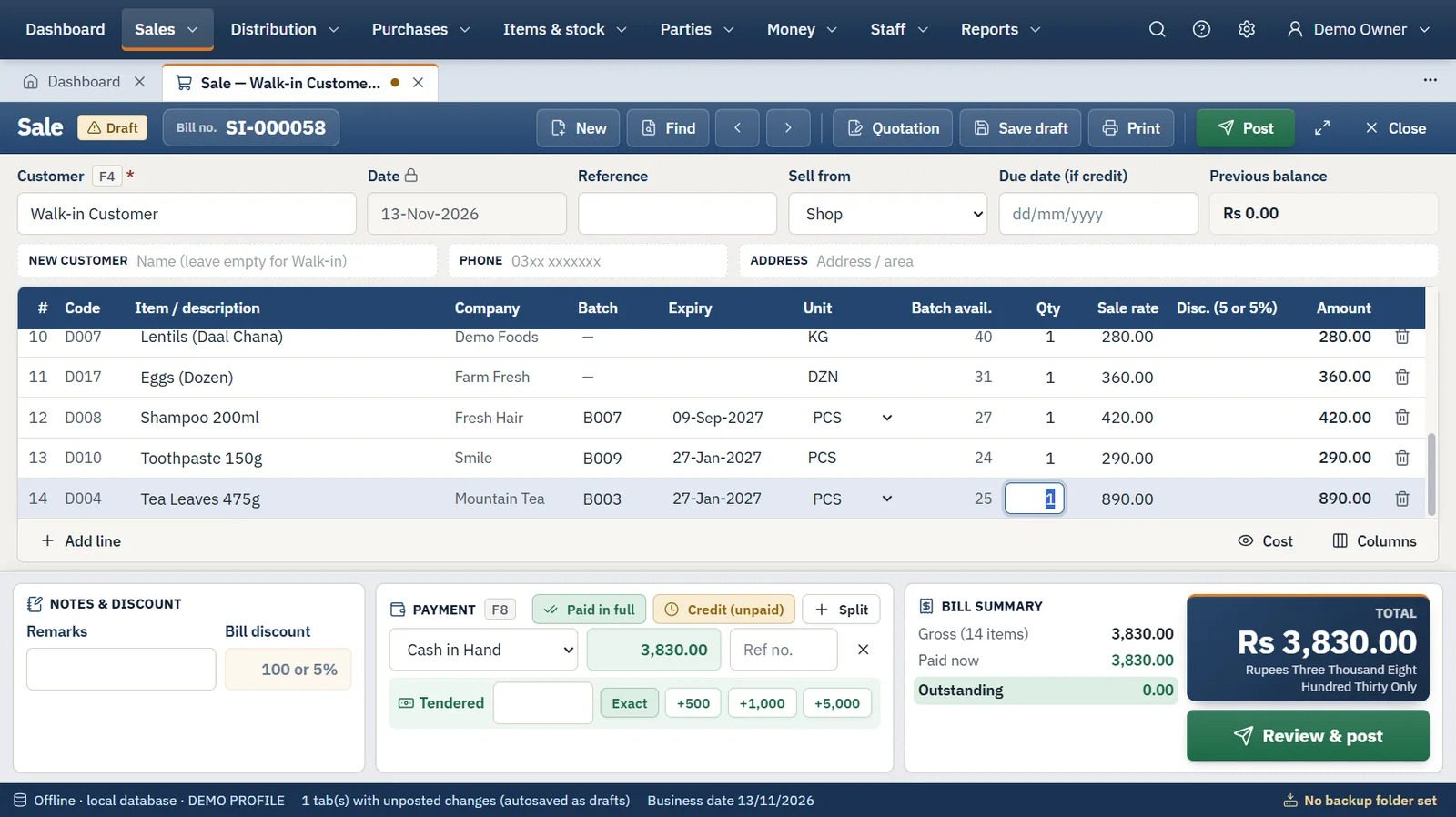
How it works
The same four steps run every day, whatever you sell.
Step 1
We install the program and import your items, customers, suppliers and opening balances from Excel or your old software.
Step 2
Enter the supplier's invoice with batches, packs and carriage. Stock, cost and the supplier's balance update together.
Step 3
Scan or type, take cash, bank or credit, and print. Several bills can stay open in tabs at once.
Step 4
Count the cash, back up to a USB drive, and read sales, profit, stock and receivables in the reports.
Also included
Hardware
FAQ
What book and stationery shop owners ask us before they start. Anything else? Ask us directly.
Yes. A quotation takes nothing from stock. When the order is confirmed you convert it to a sale with the same items, rates and discounts.
Yes. Sales open in tabs, so a cashier can hold one customer's bill and start another. Open work is saved as a draft and restored after a restart.
No. Items can be found by typing part of the name, and you can print labels for the ones you want to scan.
Yes. Price levels give a customer group its own discount or its own rate per item.
No. It is an offline Windows program with its database on your own computer. The internet is used only for licence checks and updates: a lifetime licence keeps working for 30 days without it, a monthly licence for 3 days.
After a free 7-day trial there are two ways to pay. Monthly is Rs 2,500 for the shop software with accounting on one computer, with extra features as add-ons at Rs 1,000 a month each. Lifetime is Rs 50,000 once with every feature included, and updates and support are free for the first year, then Rs 8,000 a year.
Backups run on a schedule to a USB drive or second disk and can be locked with a password. Every backup is checked before it is kept, and restoring is validated before anything changes.
Start a project
Tell us what you need — your message comes straight to our team and we'll get back to you soon.