
Quick orders with modifiers
Pick the drink, add modifiers and notes, and send it. Common items are large, touch-friendly buttons.
A café sells many small orders with endless variations: size, milk, sugar, extra shot. Pakrox Resto keeps those orders quick and shows what each cup really costs to make.
Made for
In short
Cafe POS software takes orders, sends them to the kitchen, prints bills and tracks stock and cash for cafés, coffee shops, tea houses and dhabas. Pakrox Resto is cafe POS software that keeps billing when the internet is down. It has a free plan with every feature for up to 20 orders a day, and paid plans start at Rs 2,500 a month.
The problem
These are the things owners tell us about before they change their software. If two of them sound familiar, the rest of this page is for you.
A drink with three modifications takes longer to ring up than to make.
Customers sit for hours, order twice, and the second order goes on a different bill.
Coffee, milk and syrups are bought in bulk, and the margin on each drink is assumed.
New staff need to be useful at the till on their first day.
Cafe POS software features
Every feature below is in Pakrox Resto today. Some are switched on in settings, and a few are add-ons on the monthly plan (all of them are included in the lifetime licence).
Pick the drink, add modifiers and notes, and send it. Common items are large, touch-friendly buttons.
Keep a table's order open and add to it through the visit, then settle once.
Give each drink a recipe. Stock of beans, milk and syrups falls as you sell, and low-stock alerts warn you.
Take cash and card on one bill and apply discounts or a service charge where needed.
Cashiers see the POS and nothing else. Managers and owners see reports and settings.
Each shift closes with cash counted and an item-wise sales summary.
See it
Pakrox Resto running on a counter terminal: large touch-friendly items, quick search and the running bill on one screen.
More about Pakrox Resto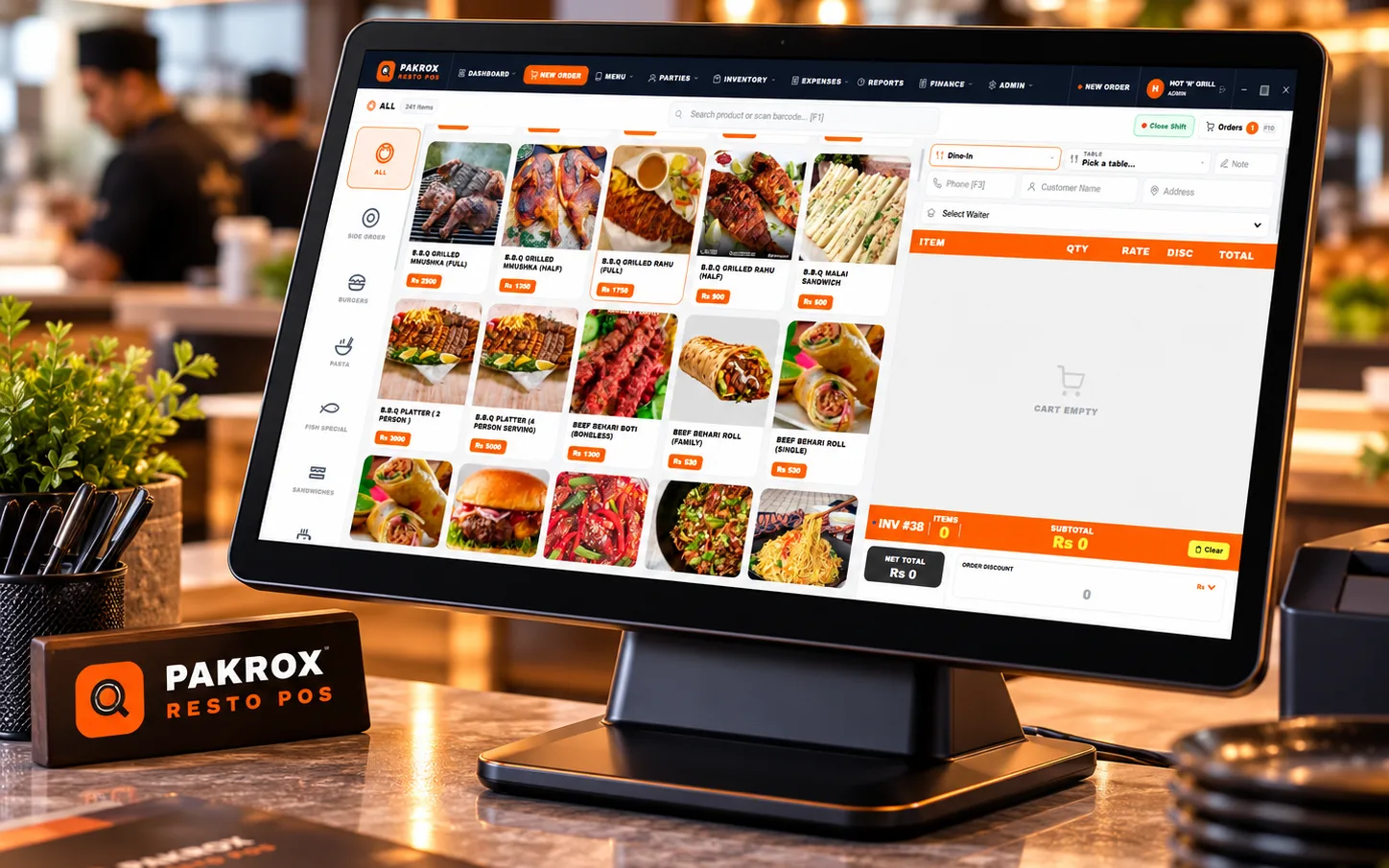
How it works
One flow from the first order to the final report.
Step 1
Dine-in, takeaway or delivery, at the counter or by the waiter.
Step 2
A kitchen ticket goes to the right station straight away.
Step 3
Discounts, service charges and split payments in one step.
Step 4
Recipes deduct stock and the owner sees the day's sales.
Also included
Hardware
FAQ
What café owners ask us before they start. Anything else? Ask us directly.
No. The free plan covers up to 20 orders a day and 40 menu items with all features, and you can upgrade when you outgrow it.
Yes. Running table orders stay open until you settle them.
Yes. Recipes deduct ingredients from stock with each sale, and purchases and wastage are recorded.
The POS screen is designed to be obvious to a cashier on the first day, and we provide guides and videos.
There is a free plan with all features, limited to 20 orders a day and 40 menu items. Standard Offline is Rs 2,500 a month, Rs 20,000 a year or Rs 35,000 one-time. See the pricing on the Pakrox Resto page.
Yes. The POS keeps billing offline and catches up when the connection returns.
Yes. We set up your menu, train your staff and support you by WhatsApp and phone.
Start a project
Tell us what you need — your message comes straight to our team and we'll get back to you soon.